
Smart Lock for TTLock
Solma GrowTools
3.110.00 Reviews
- Version
- 1.0.6
- Installs
- 50.00K
- Age Rating
- Everyone
Screenshots
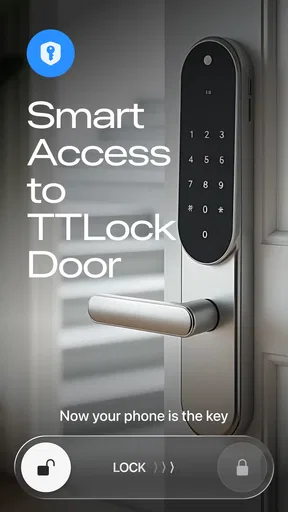
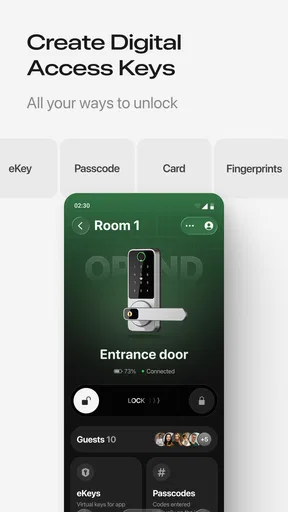
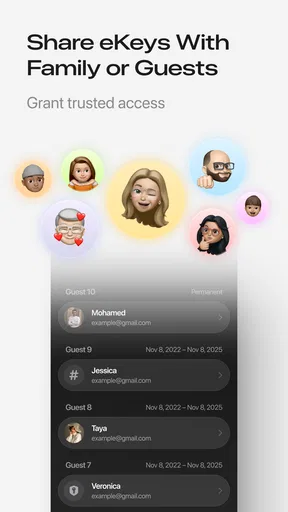
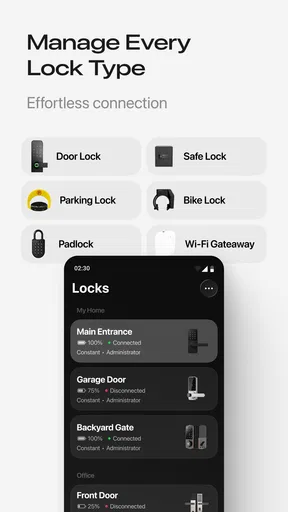
Our Review of Smart Lock for TTLock
 Analysis by Appyee
Smart Lock for TTLock is the kind of tool I only appreciate after thinking about the small moments that make a physical key inconvenient: carrying groceries, helping a family member enter, arriving home with limited hand movement, or checking who used a door after I have left. Developed by Solma Grow, this free tools app is designed to manage compatible TTLock smart devices, including remote unlocking, shared eKeys, and access history. In my testing, its value depends less on flashy extras and more on whether digital access genuinely makes a particular doorway easier to use.
I would not describe it as a universal smart-home controller. Its purpose is narrower and more practical: it gives a phone-based interface for a supported lock ecosystem. That focus can be useful, but it also means the app makes sense only when the door hardware is already compatible. If you are still choosing a lock, the app should be considered alongside the hardware, not treated as a replacement for it.
How the app feels to read and navigate
I find that the easiest way to judge a lock app is to look beyond its controls and ask whether its information is easy to understand when I’m in a hurry. In this section, I focus on the small reading and navigation choices that can make a doorway task feel calmer—or more confusing. That leads naturally to the bigger question of how well phone-based access fits people with different abilities and routines.
A focused control screen helps most of the time
The strongest part of this app’s concept is its directness. A person opening it is generally looking for one of a few actions: unlock a door, manage an eKey, or inspect access history. That is easier to understand than an app that mixes locks with lights, cameras, thermostats, and unrelated automation. For someone who prefers a limited number of clearly defined choices, this narrower approach can reduce mental effort.
There is also a practical benefit for people who do not enjoy learning complicated smart-home systems. A lock-management app has a clear mental model: select a device, check its state, choose an access action, or review activity. I found that easier to explain to another person than a broad home platform with several layers of menus. The app’s short store description, “Smart Lock,” is basic, but it accurately signals that this is a dedicated utility rather than a general lifestyle app.
That said, a simple purpose does not automatically guarantee perfect navigation. Managing shared keys can involve decisions that deserve careful attention: which person should receive access, whether that access should be temporary or ongoing, and whether an old permission should remain active. I recommend slowing down whenever an action affects another person’s entry rights. A fast tap is convenient for unlocking your own door, but it is not the right mindset for changing permissions.
Readable information matters more than decoration
For a tool used at a doorway, I care more about legible labels and obvious status information than visual polish. The important question is whether I can tell which lock is selected and whether I am about to unlock it, share access, or review a record. People with reduced vision, reading difficulties, or limited familiarity with smart locks benefit when the interface keeps those distinctions clear.
I also think about the moment of use. A person may be standing outside in poor lighting, holding a bag, or trying to help someone else enter. A screen that requires careful reading or several uncertain taps creates unnecessary stress. My advice is to organize the app before an urgent situation occurs: identify the correct device, decide which contacts need eKeys, and review the history section while you are calm. That preparation turns the app from an unfamiliar control panel into a more predictable routine.
The app is available for devices running Android 9 or later, so compatibility with the phone itself is another early check. The current version is 1.0.6, and I would keep the app updated through the normal store process when possible. Updates can matter especially for a lock utility because reliability is more important than novelty when the app is being used at the front door.
Useful for different levels of technical confidence
I can see this app working well for a household where one person manages the lock and other people simply need authorized entry. The administrator does the more detailed setup, while relatives, carers, housemates, or visitors can receive the access they need. This division is helpful for people who are uncomfortable changing settings but still want to avoid handling a metal key.
However, I would not assume that every user will find phone-based access easier. Someone who dislikes smartphones, struggles with small touch targets, or becomes anxious when an app behaves differently after an update may prefer a physical key or another entry method. The best setup is often a combination: use the app for convenience, but keep a dependable backup plan rather than making digital access the only way in.
Access in real situations and for different abilities
I think access is only genuinely convenient when the person using it can manage the whole journey, from handling the phone to moving through the doorway. Here I consider where digital entry can remove a real barrier, and where it may simply trade one challenge for another. Those differences help clarify which households are likely to benefit most from this kind of setup.
When remote unlocking is genuinely helpful
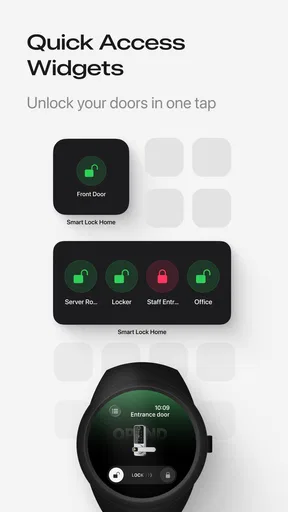
Remote unlocking is most useful when I am helping someone who is already at the door or needs entry while I am elsewhere. Imagine a relative arriving to check on a home while I am at work. Instead of arranging a physical key handoff, I can use the app to manage access through the compatible lock. The benefit is not just speed; it is the ability to avoid asking that person to copy a key or leave one in an insecure hiding place.
This can also support people with limited mobility. If a visitor cannot easily manipulate a key, the person responsible for the property may be able to assist remotely. A carer or family member can receive an eKey rather than relying on a key that must be physically collected. In a shared home, this can reduce the number of awkward handoffs that are especially difficult for someone with pain, tremors, reduced grip strength, or fatigue.
There is an important distinction, though: remote unlocking helps with authorization, not every physical part of entering. The door may still require pushing, pulling, turning a handle, or moving through a threshold. If the hardware is stiff or the doorway is difficult to approach, the app cannot solve those barriers by itself. I would judge the whole entrance, not just the phone control.
Shared eKeys can support flexible care routines
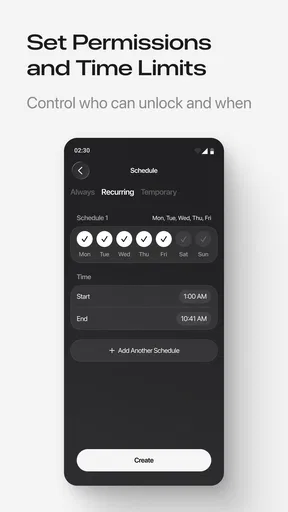
The shared eKey function is one of the app’s more meaningful features for inclusive access. A household can arrange digital entry for people who need it without giving everyone the same permanent privilege. That is especially useful when access changes over time, such as a cleaner visiting on selected days, a neighbour helping during travel, or a family member providing short-term support.
My practical tip is to treat each eKey as a responsibility, not merely a convenience. Give access to a person who understands how the lock works, and remove permissions when the arrangement ends. Keep names clear enough that the history remains understandable later. A vague label can make an access record difficult to interpret, particularly in a busy household with several helpers.
This workflow may be better than passing around one shared account, because individual access can make responsibilities easier to separate. It also avoids the confusion of multiple people using one physical key without anyone knowing who currently has it. Still, an eKey is only helpful if the recipient can use the required phone and app process. For someone who cannot reliably operate that process, a physical alternative may be more respectful and dependable.
History adds reassurance, but it is not a substitute for communication
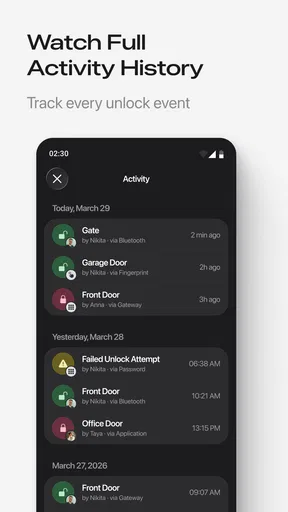
Access history gives the owner a way to review activity around the lock. I see this as particularly useful for coordinating care. If several people help an older relative, for example, the record can help the household understand whether an expected visit appears to have taken place. It can also help investigate a confusing situation without immediately blaming a person or searching for a missing key.
Even so, I would not treat the history as a complete account of someone’s wellbeing. An entry record can show activity associated with the lock, but it does not explain why a visit changed, whether assistance was actually provided, or whether someone had trouble after entering. Good communication remains necessary. The history is a supporting tool, not a replacement for a care plan or a conversation.
There is another human factor here: some users may feel watched if access records are used without clear agreement. I recommend telling household members and helpers how the feature is being used. Transparency makes the system feel like a safety arrangement rather than hidden surveillance. That matters in shared homes, supported living situations, and any arrangement involving a person who may have less control over the technology.
Where sensory needs affect the experience
People with hearing loss may appreciate that a phone-based control does not depend on hearing a spoken instruction from someone at the door. Likewise, someone with limited dexterity may find tapping a screen easier than inserting and turning a small key, although that depends on the phone, the lock, and the person’s movement. A smart lock can remove one kind of physical task while introducing another.
For people with low vision, the central issue is whether the app’s labels, contrast, text sizing, and touch targets work comfortably with the phone’s accessibility settings. I would test the exact device rather than assume the result. A person who uses screen magnification or a screen reader should try the main tasks—selecting the lock, unlocking, sharing an eKey, and checking history—before depending on the app for daily entry.
Users with cognitive disabilities may benefit from a consistent routine and a small number of familiar actions. I would set up the app with only the necessary devices and explain one workflow at a time. Avoid making a person responsible for permission management unless they are comfortable with it. The app can support independence, but only when the setup matches the user’s abilities instead of forcing them to learn every administrative function.
Situations where the usual alternatives are better
Compared with a traditional key, this app offers easier remote assistance and digital sharing, but it introduces a phone, battery, connectivity, and account-related dependency. A key is less flexible, yet it can be faster for someone who already knows the door and does not want to open an app. For a person who regularly forgets to charge a phone, the old-fashioned option may remain the safer everyday choice.
Compared with a keypad lock, Smart Lock for TTLock can be more convenient for a user who prefers phone control and remote management. A keypad may be better for guests, children, workers, or people who do not want to install an app. It also avoids the need to hand over a phone during entry. On the other hand, codes can be shared or observed, so neither approach is automatically safer in every household.
Compared with a broad smart-home platform, this app’s dedicated lock focus may feel less cluttered. I would choose that focus when the main need is door access rather than whole-home automation. If you already depend on another ecosystem for every device in your home, adding a separate lock app may create extra switching and account management. The right choice depends on whether direct TTLock control is worth that additional layer.
Costs, expectations, and the people who should skip it
The app is free to install, which makes trying the basic experience less risky. It also carries an Everyone content rating, so its intended subject matter is ordinary household access rather than mature entertainment. Optional in-app purchases range from $2.99 to $99.99 per item, so I would check the purchase screen carefully and avoid assuming that every management option is included at no cost.
The public response is mixed: the app has a 3.1 average from around 105 ratings, with about 10 written reviews. I would read that as a reason to test it with the actual lock and phone before committing to a critical access routine. The install base is over 50K, which suggests that it is being used beyond a tiny experiment, but popularity alone cannot guarantee a smooth experience for a particular household.
I would skip this app if the door is not compatible with TTLock hardware, if the intended users cannot reliably operate a smartphone, or if the home needs an entry method that works independently of a phone. I would also hesitate to use it as the sole access route for a person who may need emergency entry and cannot troubleshoot technology under pressure. In those cases, a keypad, physical key, or a professionally planned combination of methods may be more appropriate.
My inclusive verdict after using it as a practical tool
Smart Lock for TTLock is most convincing when it removes a specific access problem rather than trying to replace every traditional option. I like its focused purpose, the possibility of sharing eKeys, and the usefulness of reviewing access history. Those features can make a real difference for families, carers, landlords, and households where people need flexible entry without repeated key handoffs.
Its inclusive value depends on thoughtful setup. Remote unlocking can help someone with limited mobility, while a physical key or keypad may better serve someone who struggles with phones. People with vision, hearing, dexterity, or cognitive differences should test the complete workflow on their own device, including the moment of standing outside the door. The app should adapt to the person’s routine, not become another obstacle.
After trying it, I would recommend it to someone who already owns compatible TTLock hardware and wants a straightforward way to manage access from a phone. I would explain the shared-key responsibilities, keep a backup entry method available, and review the history as a coordination aid rather than a surveillance tool. For that audience, Solma Grow’s app is a useful, focused addition to the doorway. For everyone else, especially people seeking a universal smart-home solution or phone-free access, another option may be the better fit.
Verdict
Strengths of Smart Lock for TTLock
- Conveniently unlocks compatible doors without carrying physical keys.
- Supports temporary and scheduled access for guests or service providers.
- Access permissions can be managed remotely from a smartphone.
- Useful activity logs help track lock events and user access.
- Works with multiple TTLock-compatible smart lock models.
Limitations of Smart Lock for TTLock
- Requires a compatible TTLock smart lock to provide any practical benefit.
- Bluetooth access may be unreliable through thick walls or at longer distances.
- Some remote features may require a gateway or additional hardware.
- Access management depends on a stable phone battery and Bluetooth connection.
- Privacy-conscious users may dislike cloud-based account and access data storage.
Similar Picks in This Category
View All
Google LLC4.0

Gboard - the Google Keyboard
Google LLC4.5

Google Play services
Google LLC4.3

Google Play Store
Google LLC4.9

Files by Google
Google LLC4.5

SHAREit: Transfer, Share Files
Smart Media4U Technology Pte.Ltd.4.3
Frequently Asked Questions
What is Smart Lock for TTLock, and what does it do?
Smart Lock for TTLock is a companion app used to manage compatible electronic locks through the TTLock ecosystem. After pairing a supported lock, you can typically lock or unlock doors, create temporary or permanent access codes, share digital keys, review access records, and manage authorized users. Available functions depend on the lock model, firmware, connection method, and whether Bluetooth, Wi-Fi, or a gateway is being used.
Does Smart Lock for TTLock work with every smart lock?
No. Smart Lock for TTLock is designed for locks that specifically support the TTLock platform, so it will not automatically work with every Bluetooth, keypad, or Wi-Fi smart lock. Before downloading and setting it up, check the product description, manufacturer documentation, and lock packaging for TTLock compatibility. Some features may also vary between residential, hotel, office, and rental-property lock models.
Does the app require an internet connection or a gateway?
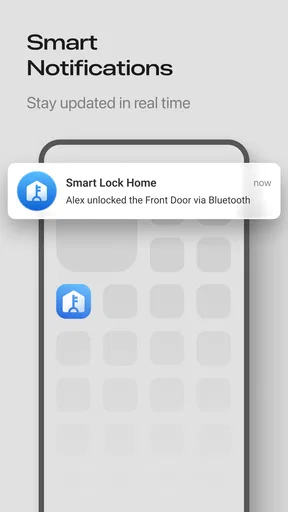
The requirements depend on how you use the lock. Bluetooth may allow local operation when your phone is near the device, while remote unlocking, cloud synchronization, notifications, and access management from another location may require internet connectivity and, in many cases, a compatible Wi-Fi gateway. If the lock is offline, some commands may be delayed or unavailable, so users should confirm the lock’s communication method before relying on remote access.
Is Smart Lock for TTLock safe for sharing access with other people?
The app is intended to make controlled access easier by allowing owners or administrators to issue digital keys, passwords, cards, or time-limited permissions. However, security still depends on using strong account credentials, keeping the app and lock firmware updated, and removing permissions that are no longer needed. Avoid sharing administrator access casually, verify recipients carefully, and review access logs regularly when the lock protects a home, office, or rental property.
What should I do if I cannot connect to or unlock the lock?
First, confirm that Bluetooth is enabled, the phone is close enough to the lock, and the app has the required permissions, such as Bluetooth and location access where applicable. Check the lock’s batteries, restart the app, and make sure you are signed into the correct account. If remote control is involved, inspect the gateway and internet connection. Do not rely solely on the app; keep a physical key or another approved entry method available for emergencies.
